Forms, Surveys, and Quizzes are often used for time-sensitive campaigns like event registrations, flash sales, webinars, contests, and limited-time offers—but until now, they remained available indefinitely unless manually removed or restricted.
With
Scheduling
, you can now control exactly when a Form, Survey, or Quiz starts and stops accepting submissions. You can also decide what visitors see before it opens or after it expires, giving you full control over the experience without having to manually manage availability.What's New
A new Schedule visibility setting is now available in:
- Forms
- Surveys
- Quizzes
Once enabled, you can configure:
- When it should open
- When it should close
- The time zone used for the schedule
- What visitors see before it opens
- What visitors see after it closes
- Whether visitors should see a custom page or be redirected to another URL
Key Highlights
- Schedule when Forms, Surveys, and Quizzes go live- publish them in advance and choose exactly when they should start accepting responses.
- Automatically expire them- stop new submissions once your campaign, promotion, quiz, or registration window ends.
- Flexible scheduling- choose Right away or a specific date for opening, and Never or a specific date for closing.
- Time zone support- configure the time zone used for both opening and closing schedules.
- Custom pre-launch experience- show a tailored message before the scheduled opening time.
- Custom expired experience- decide what visitors see once submissions are closed.
- Redirect visitors- send visitors to another URL instead of showing a custom page.
- Rich content customization- design the message shown outside the active submission window.
- Preview the experience- see how the configured unavailable page will appear to visitors.
- No more manual disabling- scheduled closing automatically prevents submissions after the deadline.
- Existing Forms, Surveys, and Quizzes continue to work exactly as before when scheduling is not enabled.
How It Works
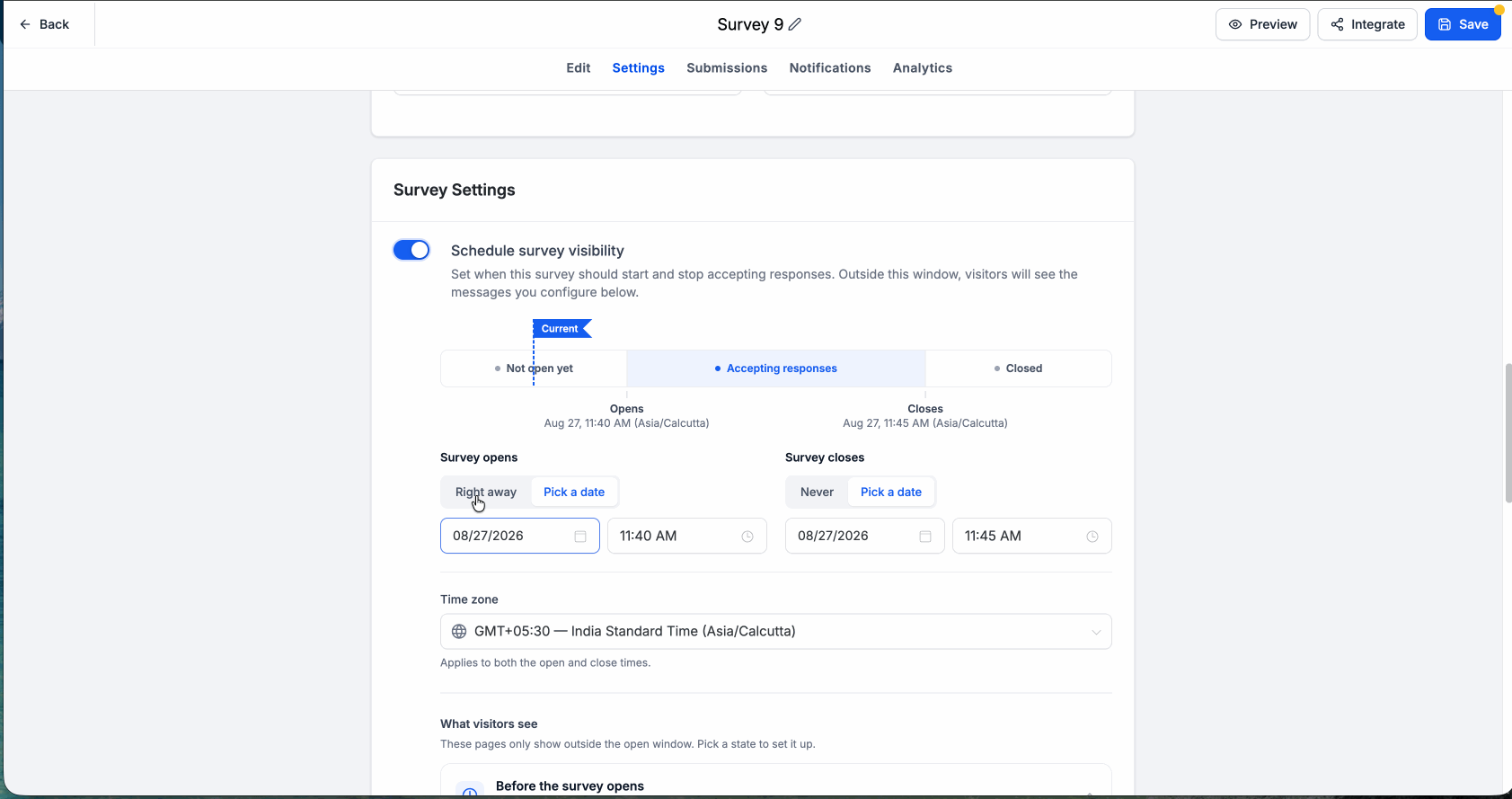
- Open your Form, Survey, or Quiz and navigate to its settings.
- Enable Schedule visibility.
- Configure when it should open: Right away, orPick a date
- Configure when it should close: Never, orPick a date
- Select the appropriate time zone.
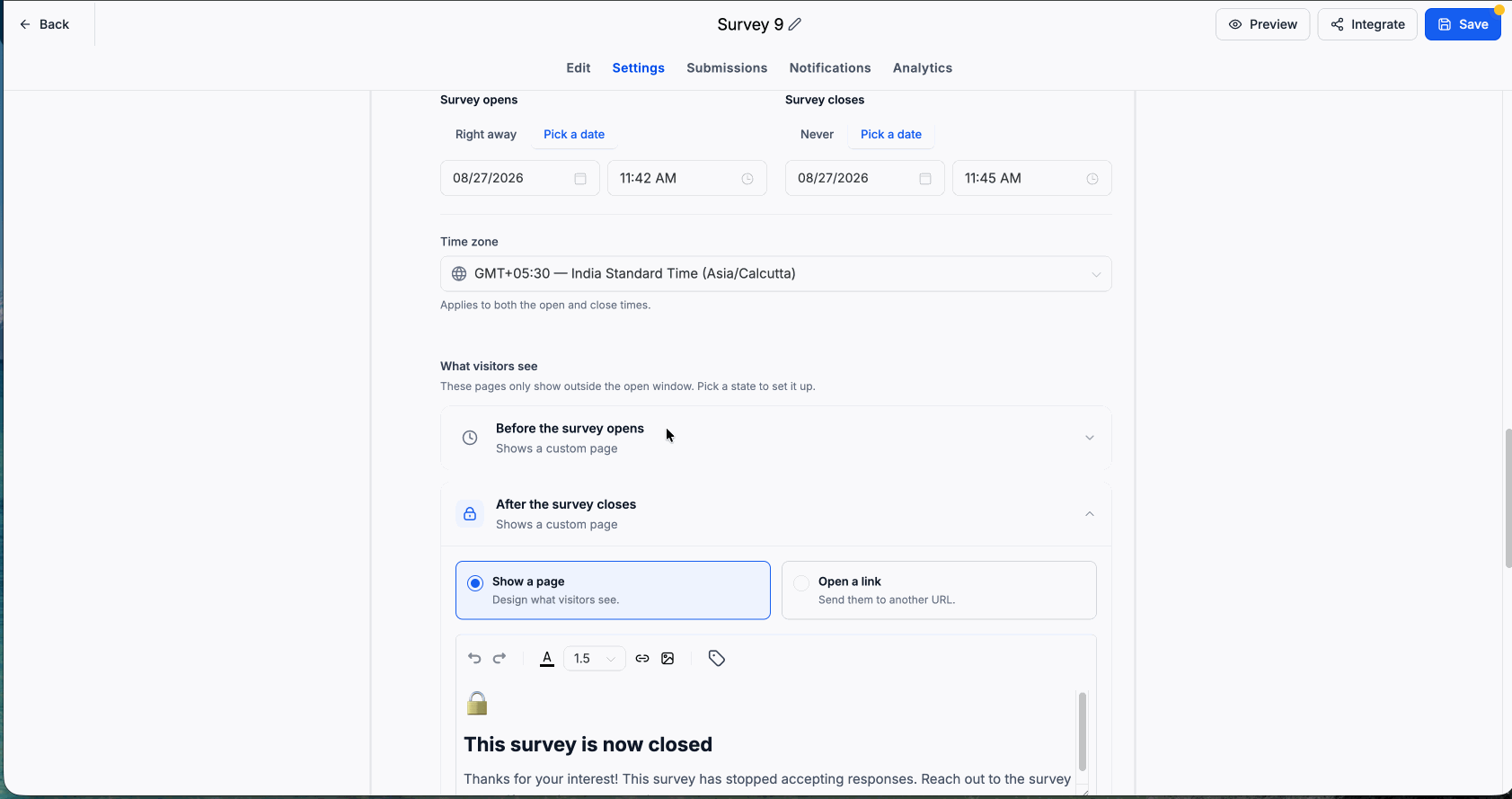
- Configure what visitors should see outside the active window.
- Choose either:
- Show a page to display a customized message, or
- Open a link to redirect visitors to another URL.
- At the configured opening time, it automatically starts accepting responses.
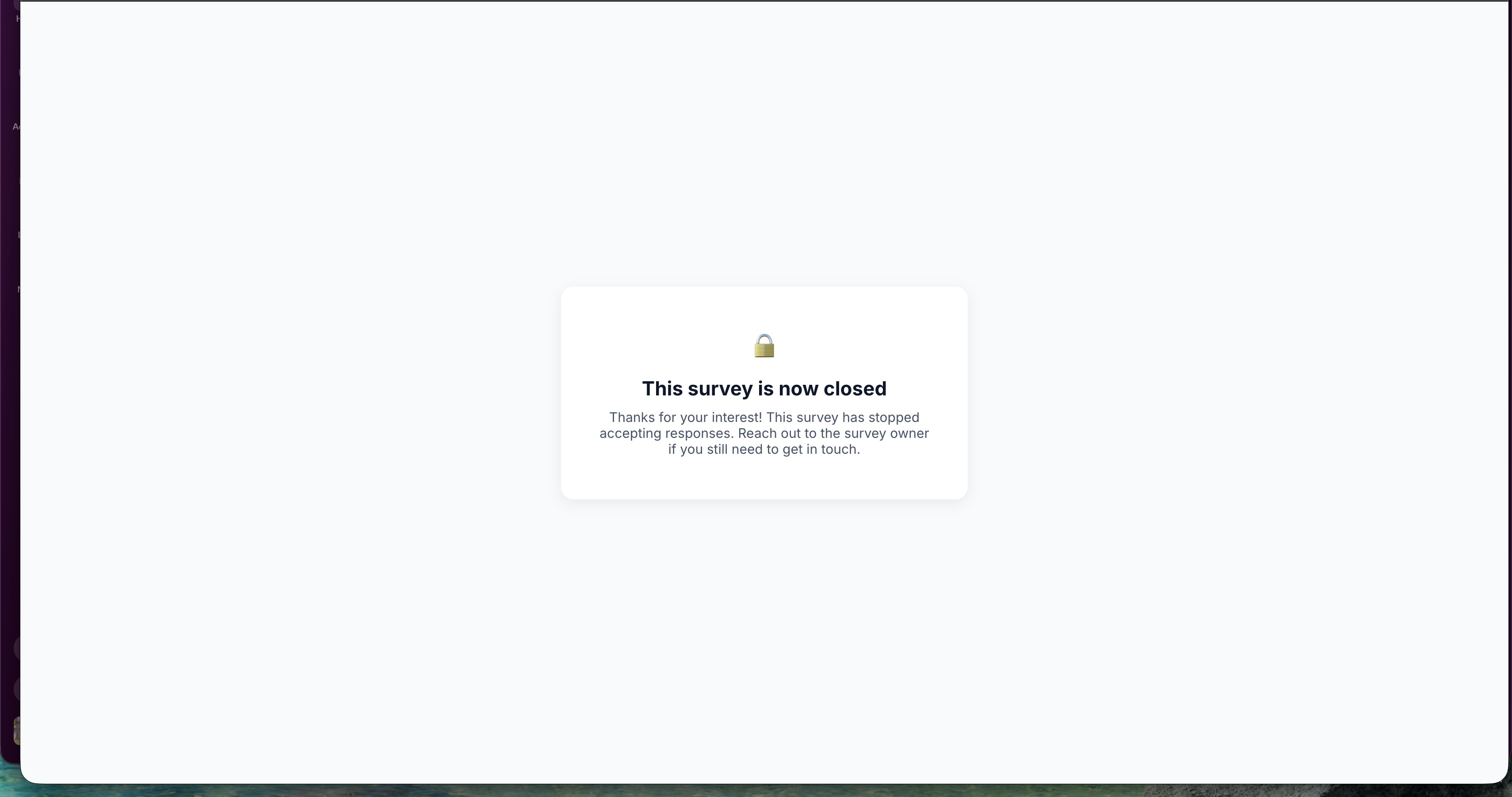
- At the closing time, new submissions are automatically blocked and visitors see the experience you configured.
Use Cases
- Event Registrations: Automatically close registration once the event or webinar deadline has passed.
- Flash Sales & Limited-Time Offers: Keep a Form or Survey available only during a promotion window and automatically close it afterward.
- Webinars & Campaign Launches: Publish ahead of time while showing a custom “Registration opens soon” experience until launch.
- Quizzes & Contests: Set a fixed participation window so entries stop automatically once the campaign ends.
- Post-Campaign Traffic: Redirect visitors to another offer, waitlist, landing page, or upcoming event after the original experience expires.
- Coupon & Promotional Campaigns: Prevent submissions after a promotion deadline without relying on someone to manually disable the experience.
Why This Matters
Previously, once a Form, Survey, or Quiz was published, it could remain available for submissions indefinitely. For accounts running time-sensitive campaigns, this could result in registrations, leads, quiz entries, or orders continuing to arrive after a campaign had already ended.
Scheduling removes that manual work by automatically controlling availability while still giving accounts complete control over what visitors experience before and after the active window.
As customers have highlighted:
"Clients distributing coupons with automatic expiration preventing post-deadline usage." — Dave Mears
"Critical for accounts and evergreen webinar funnels. Needs: expiring funnel pages based on registration time." — Linn Kloster
Forms, Surveys, and Quizzes can now follow the lifecycle of your campaigns—open when you're ready, close when the deadline arrives, and guide visitors to the right experience at every stage.
Was this article helpful?
That’s Great!
Thank you for your feedback
Sorry! We couldn't be helpful
Thank you for your feedback
Feedback sent
We appreciate your effort and will try to fix the article