Summary of the release:
Opportunity Score is now available across
Meta, Google, and LinkedIn campaign builders
in the platform Ad Manager.After initially launching Opportunity Score for Meta campaigns, we’ve extended the same pre-publish guidance to Google and LinkedIn, with recommendations tailored to each platform and campaign type. Users can now review campaign readiness, identify potential setup issues, and improve their campaigns before publishing, all from the Review screen.
What’s New? :
- Opportunity Score for Google & LinkedIn
- View a 0–100 campaign readiness scorebefore publishing.
- Campaign health is summarized as Low, Medium, or High.
- Recommendations are adapted to the selected platform and campaign configuration.
- Platform-aware recommendations
- Google: Reviews relevant areas such as keywords, audience, budget, creatives, tracking, ad schedule, language, placements, bidding setup, and applicable campaign assets.
- LinkedIn: Reviews audience and location targeting, budget, creatives, destination URLs, lead-gen setup, language, and other campaign-specific requirements.
- Only applicable campaign settings are considered based on the selected objective, ad format, and configuration.
- Prioritized improvement suggestions
- Recommendations are grouped into areas such as Audience, Budget, Creative, Tracking, and Keywords,where applicable.
- Suggestions indicate their potential impact so users can focus on the most important improvements first.
- Click to review and fix
- Select a suggestion to navigate directly to the relevant campaign section and make changes faster — consistent with the Meta Opportunity Score experience.
How to Use?:
- Create or edit a Google, LinkedIn, or Meta campaignin Ad Manager.
- Complete your campaign setup and move to the Reviewscreen.
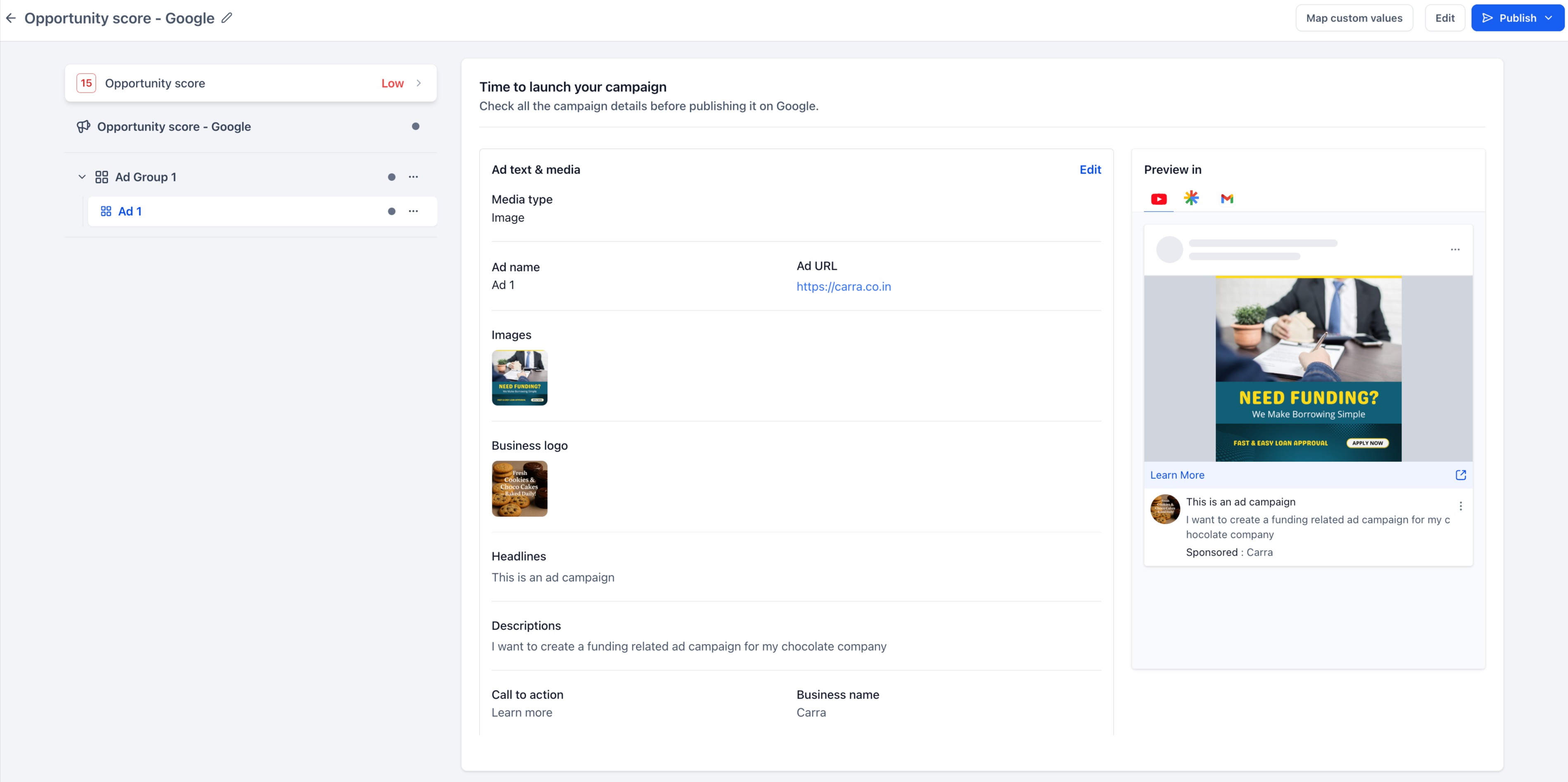
- Open the Opportunity Scorepanel.
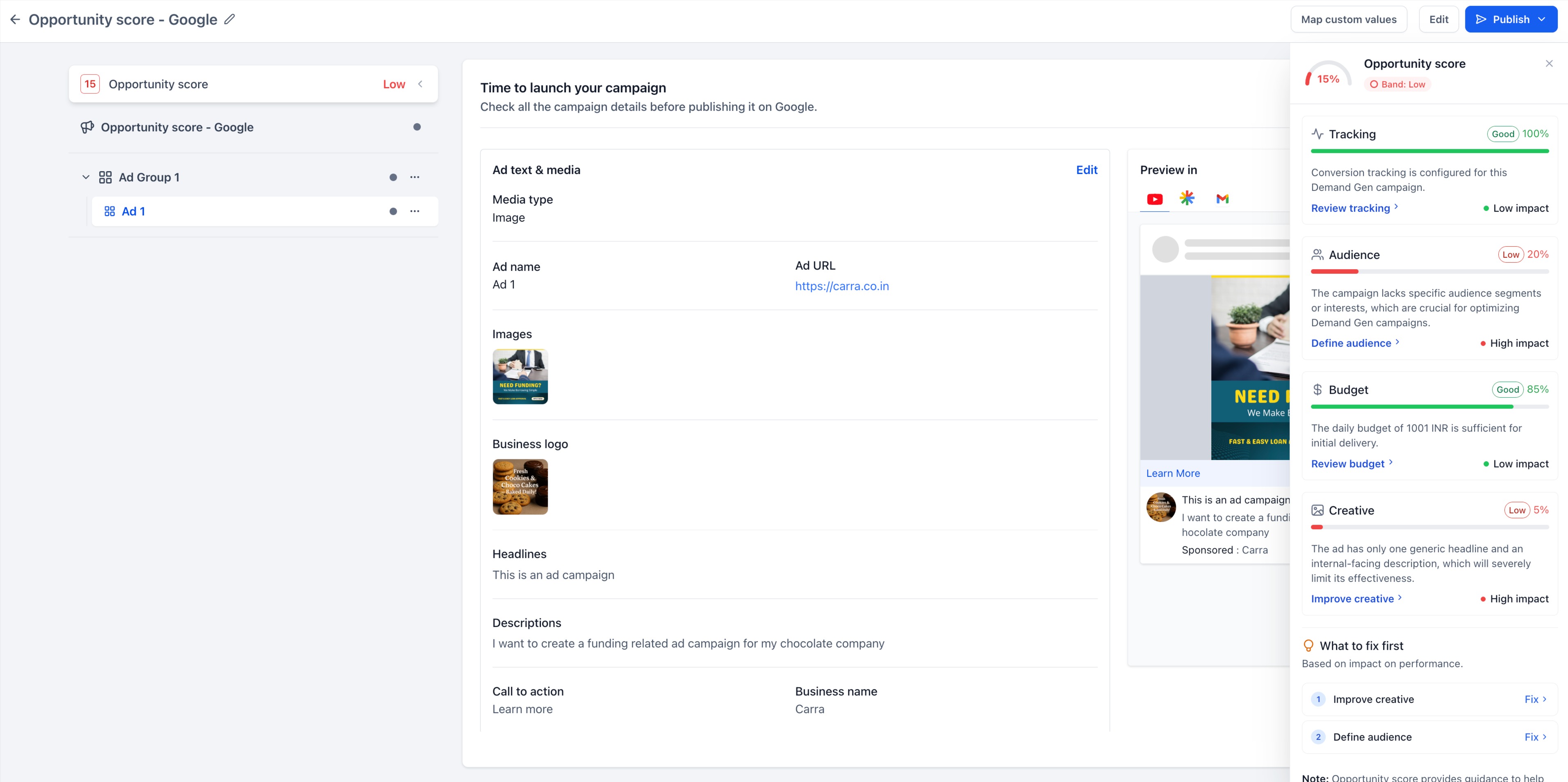
- Review your overall score and individual recommendations.
- Click a suggested action to navigate to the relevant campaign setting.
- Make the required improvements and review the updated score before publishing.
Why This Feature?:
Opportunity Score gives advertisers an additional validation layer before launch, helping them:
- Catch missing or potentially limiting campaign settings earlier.
- Understand which improvements could have the greatest impact.
- Reduce guesswork during campaign review.
- Build better-configured campaigns across all supported advertising platforms.
The score is designed as
guidance rather than a guarantee of campaign performance,
and recommendations do not automatically modify campaign settings. Notes:
- Opportunity Score is available on the pre-publish Review screen.
- Suggestions vary depending on the platform, objective, campaign type, ad format, and applicable settings.
- Opportunity Score is advisory and does not guarantee campaign performance.
Was this article helpful?
That’s Great!
Thank you for your feedback
Sorry! We couldn't be helpful
Thank you for your feedback
Feedback sent
We appreciate your effort and will try to fix the article