Accounts can now include Company custom fields in Snapshots and reuse the same Company setup across multiple accounts.
What’s New
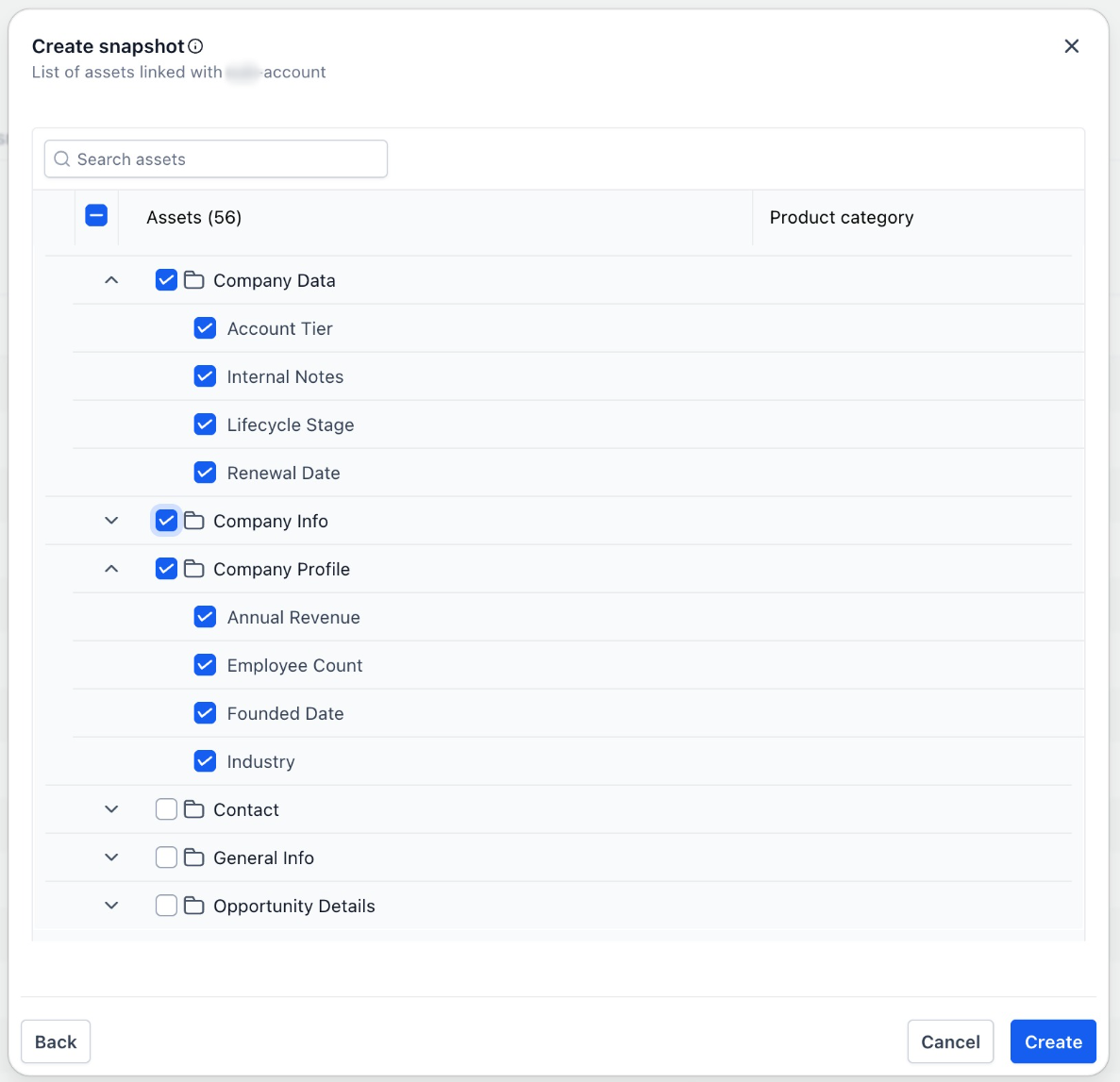
- Company custom fields are now included when creating a Snapshot
- Field configurations can be copied to other accounts when the Snapshot is loaded
- Accounts can maintain a consistent Company data structure across multiple clients
Why This Matters
Snapshots are how accounts scale repeatable setups across their clients.
For B2B use cases, accounts previously had to recreate Company custom fields manually in every account. Now they can be carried to different accounts using snapshots
How to Use
- Go to the Account Dashboard
- Open Account Snapshots from the sidebar
- Click Create New Snapshot
- Select a source account containing the required Company custom fields
- Create the Snapshot and load it into the destination account
- The Company custom field configuration will be included when the Snapshot is applied.
Was this article helpful?
That’s Great!
Thank you for your feedback
Sorry! We couldn't be helpful
Thank you for your feedback
Feedback sent
We appreciate your effort and will try to fix the article