We’ve introduced a
new location type
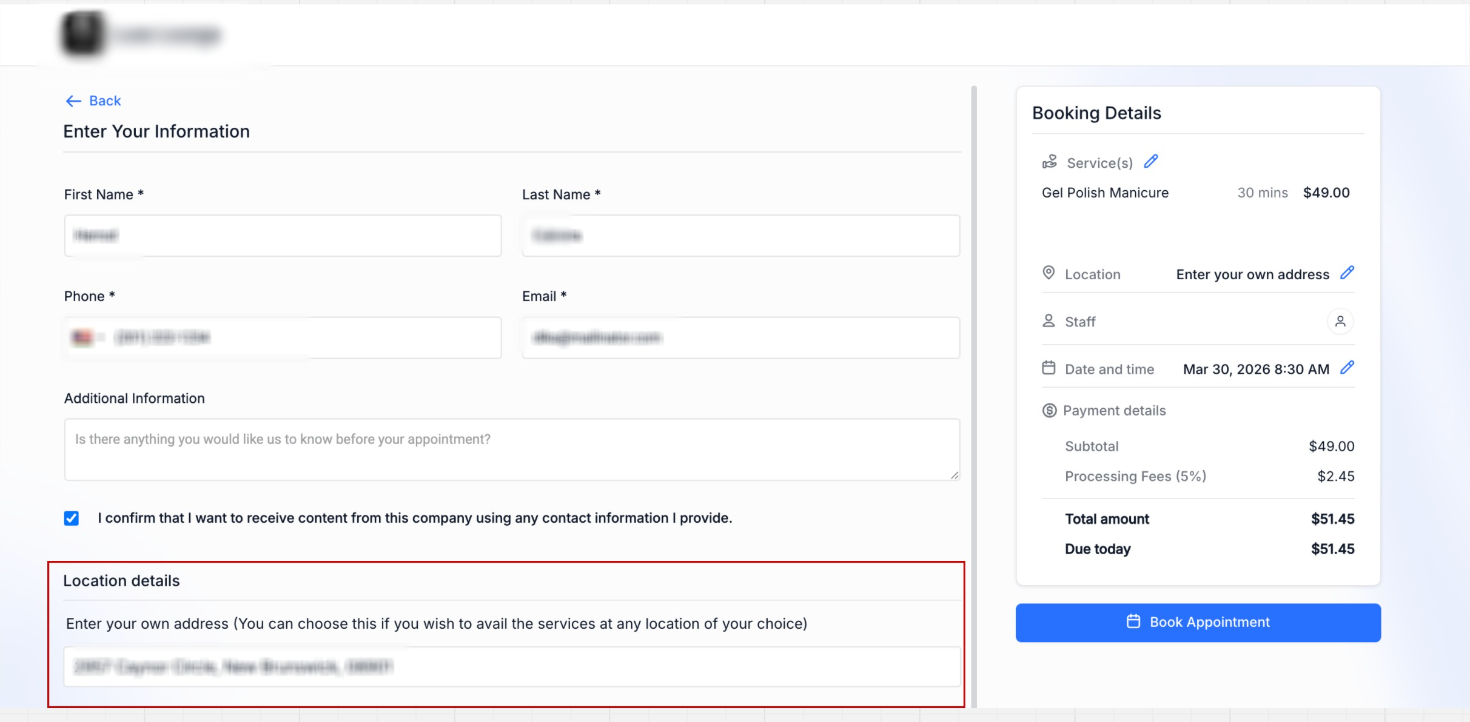
that allows customers to enter their own service address during booking
.Businesses that provide services at
customer locations
— such as mobile services, repairs, consultations, or on-site appointments
— can now configure a location where the booker provides the service address at the time of booking
.This keeps the booking flow
simple
while allowing businesses to collect the exact address for each appointment
.---
What’s New
- Businesses can now create an “Ask the Booker” locationin Services
- Customers will be prompted to enter their service address during booking
- The address is saved with the appointment
- The rest of the booking flow remains unchanged
---
How It Works
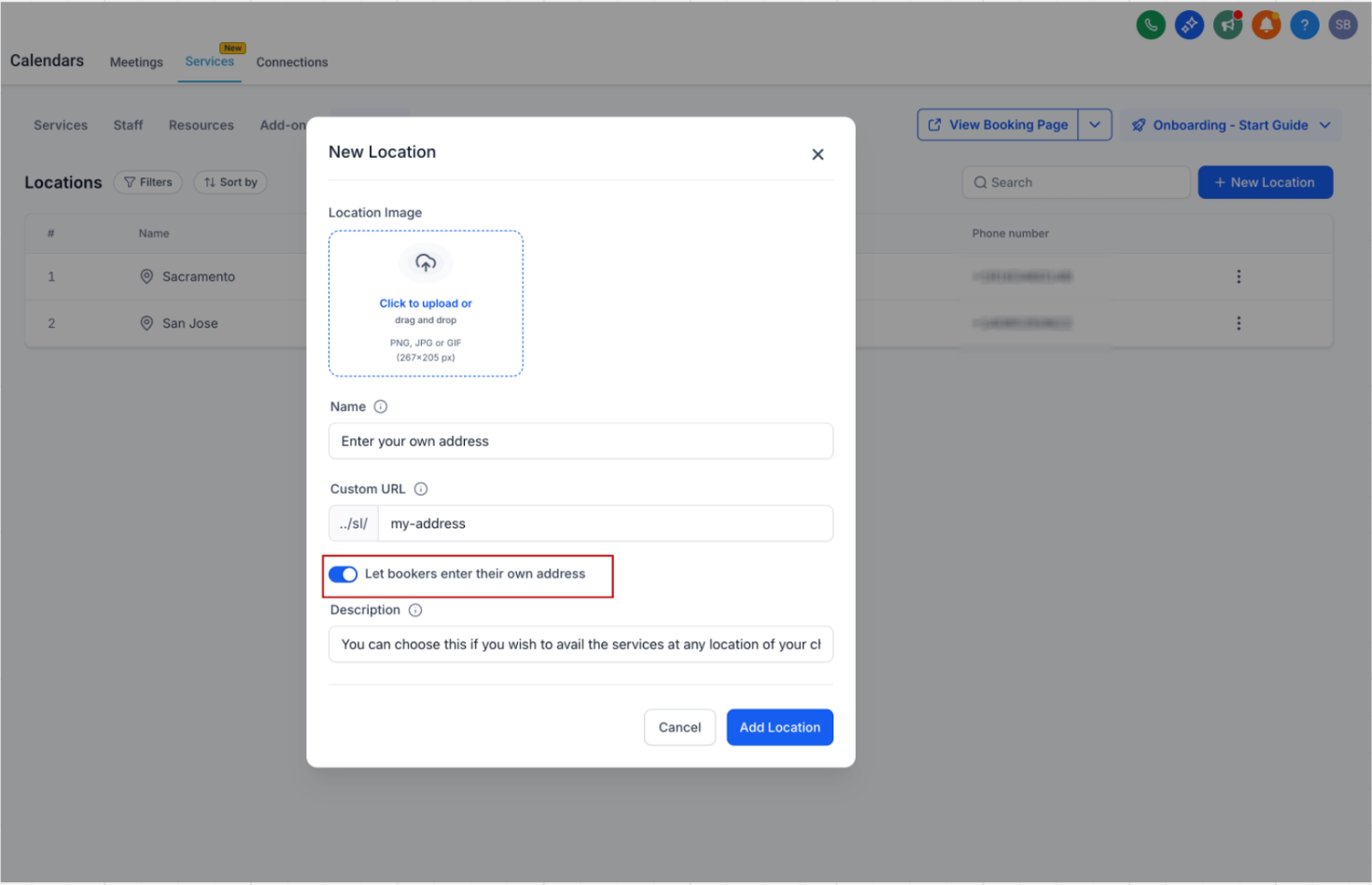
- Enable the option to let bookers enter their own service addresswhile creating or editing a location
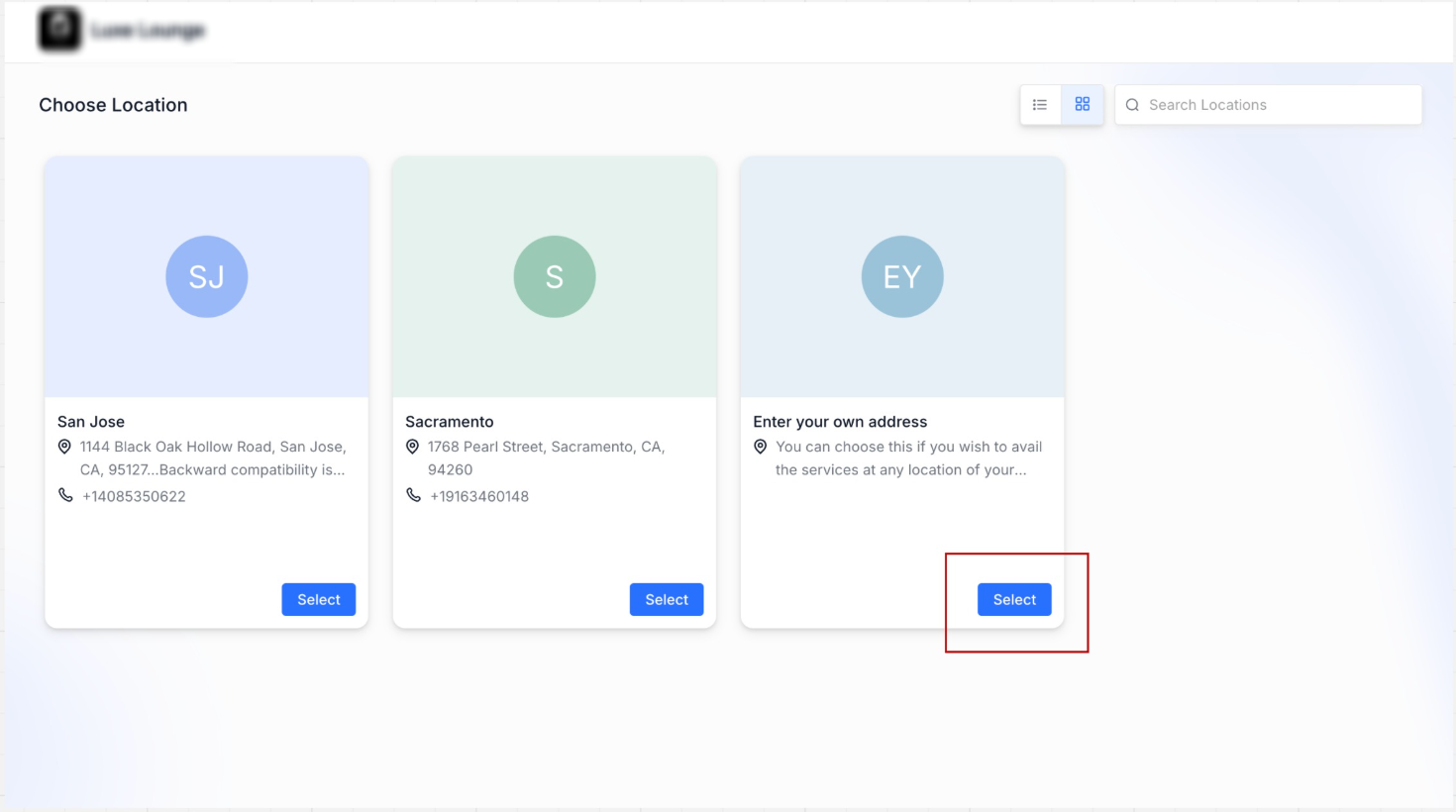
- When selected, customers are asked to enter where the service will take place
- The address is stored with the appointmentand used in details and notifications
- Availability, services, and pricing continue to follow the location configuration
---
How to Use
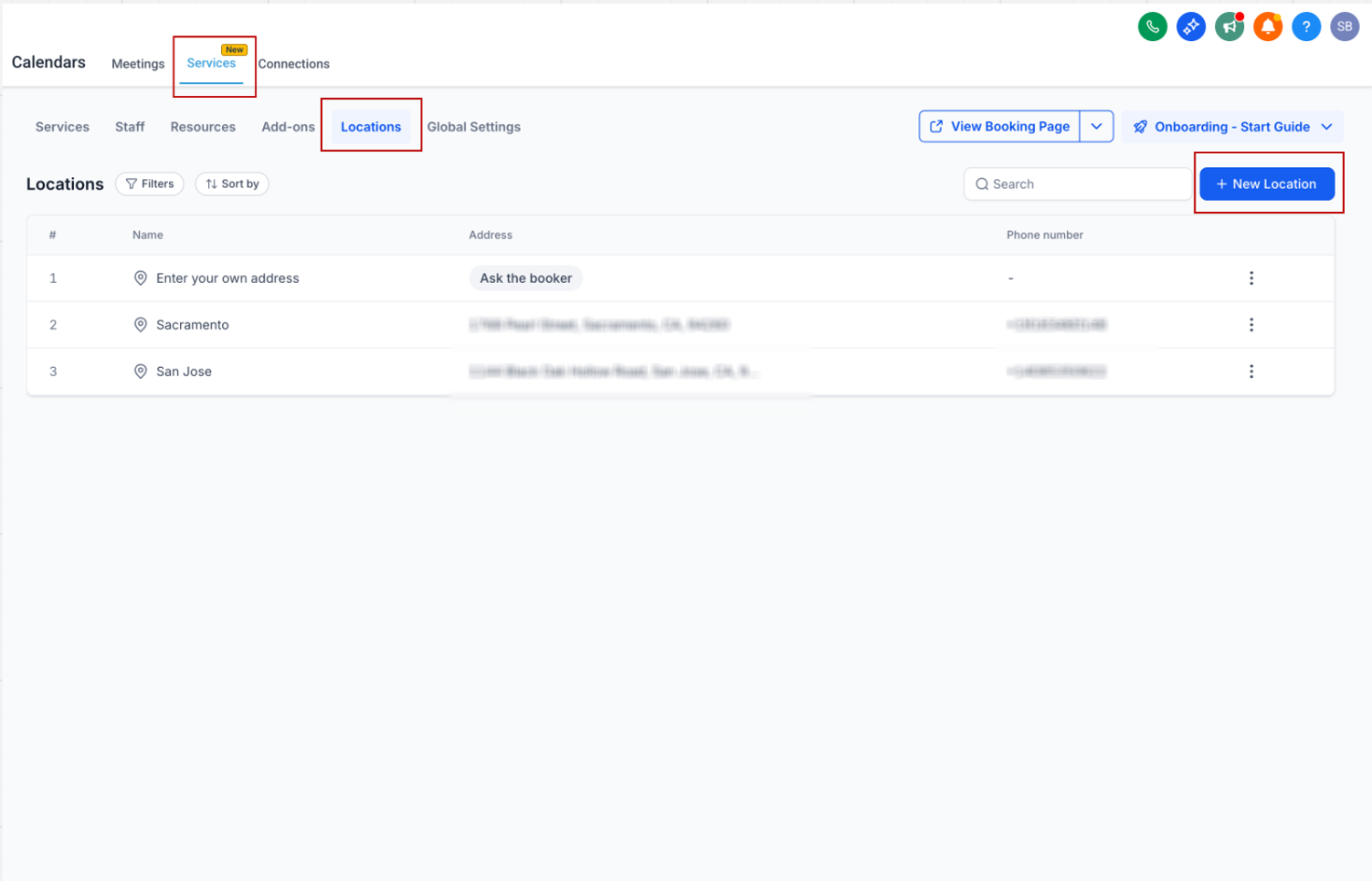
- Go to Calendar Settings → Services (v2) → Locations
- Create a new location or edit an existing one
- Enable “Let bookers enter their own service address”
- Configure the location name and other details
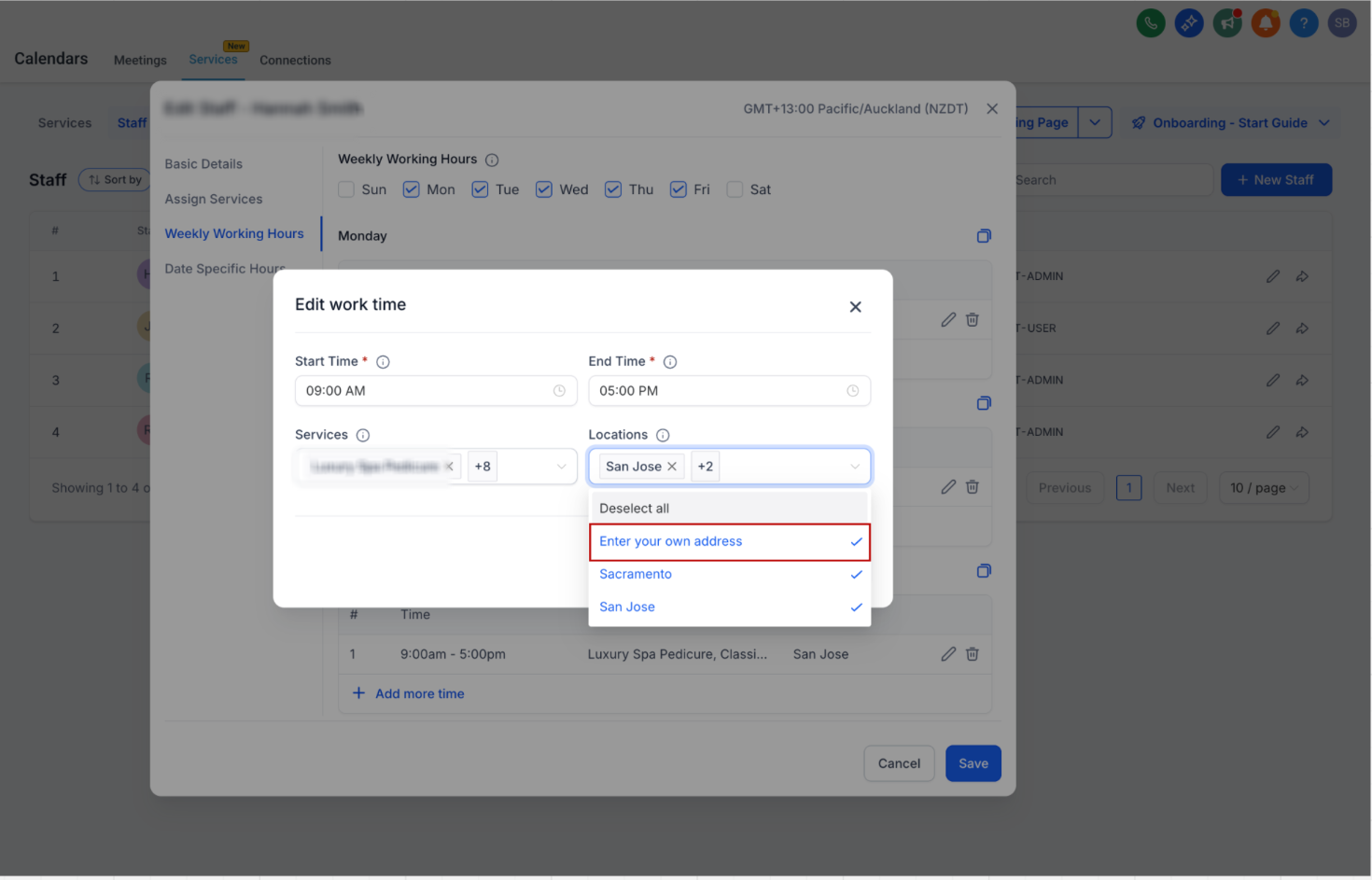
- Assign the location in Staff Availabilityas needed
- During booking, customers will be asked to enter their service address
---
Why This Matters
- Supports on-site and mobile service businesses
- Enables collecting accurate addresses per appointment
- Keeps the booking experience simple and consistent
- Adds more flexibility in configuring service locations
Was this article helpful?
That’s Great!
Thank you for your feedback
Sorry! We couldn't be helpful
Thank you for your feedback
Feedback sent
We appreciate your effort and will try to fix the article